
Download MOZde ePaper APK – Regional Newspaper, ePaper, Android, Free Trial
Overview
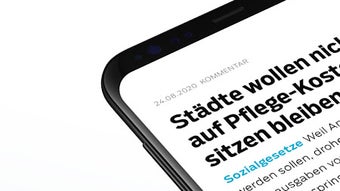
MOZde ePaper is a dedicated Android application designed to deliver regional daily newspapers directly to mobile devices. The software enables users to access their local print editions in digital format, offering both the traditional layout of the printed paper and a mobile-optimized reading experience. This dual-view functionality supports diverse user preferences, whether readers favor the familiar structure of physical newspapers or the convenience of touch-friendly layouts on smartphones and tablets.
The app serves as a digital bridge between print journalism and modern mobile consumption, particularly benefiting residents of regions covered by partner publications such as Märkische Oderzeitung, Barnim Echo, Frankfurter Stadtbote, and Ruppiner Anzeiger. By providing early access to the next day’s edition starting at 7 PM, the app enhances reader engagement and planning, with full availability by 4 AM. This feature is especially useful for users who want to stay informed ahead of the day’s events.
MOZde ePaper also supports offline reading through automatic downloads, allowing users to access content without an active internet connection. This functionality is ideal for commuters, travelers, or users in areas with limited connectivity. The app integrates interactive elements such as crossword puzzles and Sudokus, adding entertainment value beyond news reading. A personalized news feed based on user interests and a playlist feature for audio article playback further expand its utility.
Key Features & Capabilities
- Multi-Format Reading – Offers both the original print layout and a mobile-optimized view, ensuring accessibility and comfort across different reading preferences.
- Early Edition Access – Allows users to begin reading selected pages and articles from the next day’s newspaper as early as 7 PM, with full edition availability by 4 AM.
- Offline Reading – Automatically downloads editions for offline access, enabling uninterrupted reading without an internet connection.
- Article Archiving – Lets users save articles for later review, supporting long-term research or personal reference.
- Interactive Puzzles – Includes crossword puzzles and Sudokus to provide leisure content alongside news consumption.
- Social Sharing – Enables users to share selected articles with friends or on social media platforms.
- Personalized News Feed – Delivers breaking news tailored to individual interests, enhancing relevance and engagement.
- Audio Playback – Features a playlist function to listen to articles, supporting multitasking and accessibility for visually impaired users.
These capabilities make the app suitable for daily commuters, local residents, and news enthusiasts seeking timely, region-specific content. The combination of early access, offline functionality, and interactive features positions MOZde ePaper as a comprehensive digital news platform tailored to regional audiences.
User Interface, Workflow & Performance
The user interface of MOZde ePaper appears designed for intuitive navigation, with a clean layout that organizes content by edition, date, and section. Users can easily switch between the print-style view and the mobile-optimized layout, depending on their preference. The app’s workflow supports quick access to the latest edition, with automatic downloads and clear indicators for available content.
Navigation is likely structured around a main menu or dashboard that displays the current and upcoming editions. The inclusion of a personalized news feed suggests dynamic content organization, possibly using filters or topic tags. The audio playback feature implies a media control interface, while the puzzle section may be accessible via a dedicated tab or icon.
Performance details were not specified by the developer. However, based on general behavior of similar content-heavy Android applications, the app’s performance may vary depending on device specifications and internet speed. The developer did not provide additional system requirements or resource usage details. Stability during offline reading and automatic downloads is expected to be reliable, given the app’s focus on consistent access. Users should expect smooth operation on modern Android devices, though older models may experience delays in loading large editions.
Compatibility & System Requirements
MOZde ePaper is designed for Android devices and is available for download on the Google Play Store. The app’s installation size and specific hardware requirements were not listed by the developer. Compatibility information is limited to the Android platform, with no mention of support for other operating systems such as iOS or desktop environments.
Exact system requirements were not listed. The developer did not specify minimum Android version, RAM, or CPU requirements. Users should ensure their device meets standard Android application standards for smooth operation. The app supports offline reading, suggesting it can function on devices with intermittent connectivity, but performance may depend on device storage and processing power.
Pros and Cons
Pros
- Offers both print and mobile-optimized reading formats for user flexibility.
- Provides early access to the next day’s edition starting at 7 PM.
- Supports offline reading via automatic downloads.
- Includes interactive puzzles and audio playback for enhanced engagement.
- Personalized news feed based on user interests.
- Free trial available without obligation.
- Compatible with a range of regional newspapers across Germany.
Cons
- Limited to Android devices; no support for iOS or desktop platforms.
- Exact system requirements and resource usage details were not provided.
- App availability and features may vary by region and newspaper partnership.
- Free trial may require account registration with personal data.
- Audio playback and puzzle features may not be available for all editions.
FAQ Section
Is MOZde ePaper available for iOS devices?
The app is currently available for Android devices only. There is no information provided about iOS compatibility.
Can I use MOZde ePaper without an internet connection?
Yes, the app supports offline reading through automatic downloads. Once an edition is downloaded, it can be accessed without an active internet connection.
How do I access the next day’s edition?
Selected pages and articles from the next day’s edition become available as early as 7 PM. The complete edition is fully accessible from 4 AM the following morning.
Is there a free trial for the app?
Yes, users can enjoy a 4-week free trial without any obligation. More details are available at moz.de/hier.
What types of content are included in the app?
The app includes regional daily newspapers such as Märkische Oderzeitung, Barnim Echo, Frankfurter Stadtbote, and Ruppiner Anzeiger. It also features interactive crossword puzzles, Sudokus, and audio articles.
Final Thoughts + CTA
MOZde ePaper stands out as a practical and engaging solution for users seeking regional news on their Android devices. Its ability to deliver early access to upcoming editions, support offline reading, and integrate interactive content makes it a valuable tool for local news consumers. The dual reading formats and personalized news feed enhance usability, while the free trial offers a risk-free way to evaluate its features.
While the app is limited to Android and lacks detailed system specifications, its core functionality is well-aligned with the needs of regional readers. It is particularly beneficial for individuals who value timely, localized information and enjoy a multimedia-rich reading experience. The inclusion of puzzles, audio playback, and social sharing adds depth beyond standard news delivery.
For those interested in staying informed about local developments with added convenience and entertainment, MOZde ePaper offers a compelling digital alternative to print newspapers. Download MOZde ePaper now.




.png)


